


We’ve all been there. You start with a clean Windows install, and within a month, your desktop looks like a digital junk drawer. Icons everywhere, files you “might need later” scattered across the screen, and that same default blue wallpaper staring back at you. It’s chaotic, and honestly, it’s a productivity killer.
I recently spent some time playing around with iTop Easy Desktop, and it’s not just another “folder organizer.” It’s a full-on makeover for your PC. If you’re tired of the clutter and want a workspace that actually feels like yours, here’s why this tool is worth a look.
First Impressions: No More “Search and Rescue” Missions
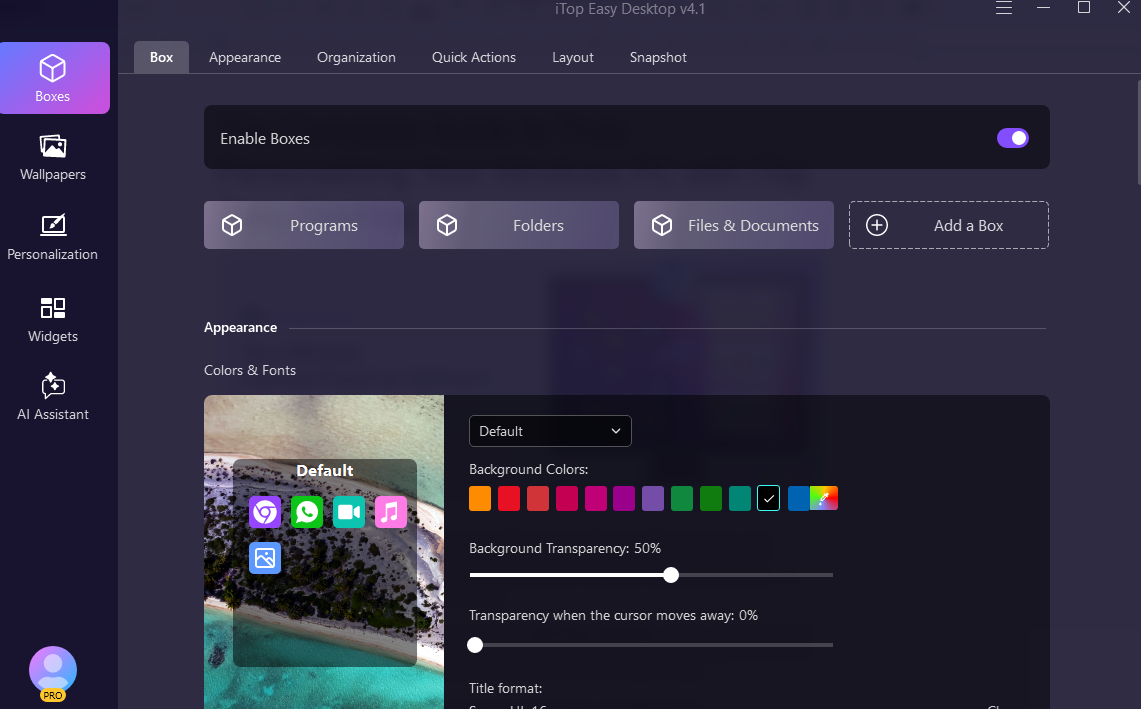
The core of iTop Easy Desktop is a feature they call “Boxes.” Think of them as smart containers. Instead of having fifty random icons floating around, you can group them into neat, transparent boxes like “Work Tools,” “Gaming,” or “Daily Essentials.”
What I love is the 1-Click Auto-Organization feature. If you’re lazy (like me), you can just click a button, and it’ll automatically sort your files, folders, and icons into boxes for you. It’s like having a digital housekeeper who actually knows where your stuff belongs. You can hide these boxes with a double-click, giving you that “clean desk” feeling whenever you need to focus.
It’s Not Just About Organization—It’s About the Vibe
Let’s be real: we spend way too much time looking at our monitors. If the view is boring, work feels more like a chore. iTop Easy Desktop handles the aesthetic side of things surprisingly well:
- 2000+ Live Wallpapers: Static images are fine, but having a subtle, moving background makes your PC feel “alive.”
- Search That Actually Works: Windows Search can be… temperamental. The quick search feature here is snappy. Hit a hotkey, type a few letters, and you’re in your file. No waiting for the green bar to crawl across the top of the window.
Total Control: Personalization That Actually Makes Sense
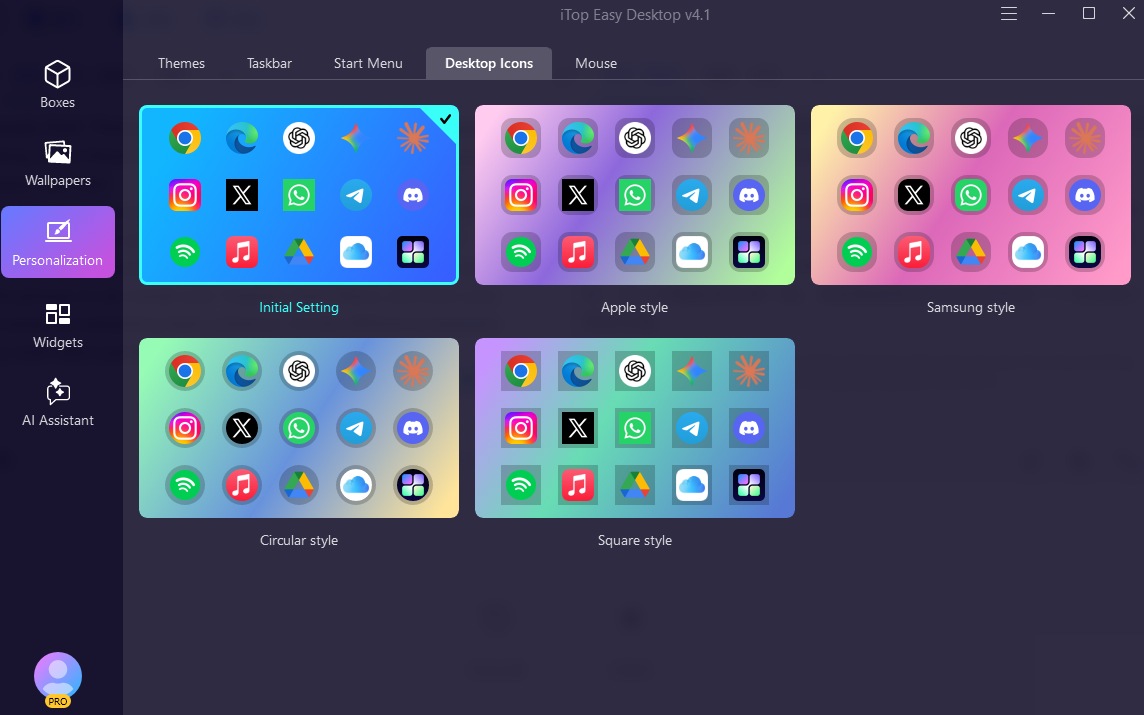
Most people think “Personalization” just means changing a wallpaper, but looking at the Personalization menu in iTop Easy Desktop, it goes way deeper than that.
You can overhaul your entire vibe in a few clicks. Whether you want a “Nature Landscape” to stay calm during meetings or a “City – Dark” theme for late-night gaming, it handles the heavy lifting. It doesn’t just swap the picture; it can tweak your Taskbar, Start Menu, and even your Mouse cursor so everything feels cohesive. It’s the difference between a messy room and a professionally designed office.
The Real Game Changer: Meet Your New Desktop Roommate
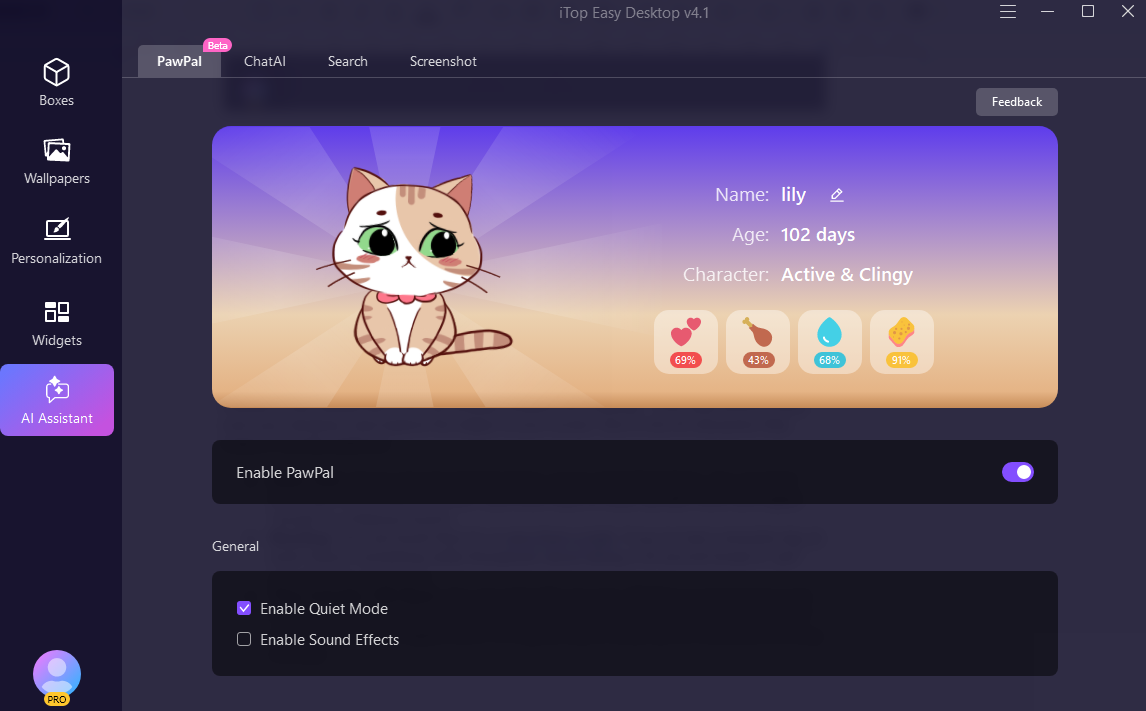
Now, for the part that’s actually a lot of fun. The latest update introduced a Pawpal, and it’s way more interactive than the old-school Tamagotchis or “Clippy” from back in the day.
Instead of just sitting there, the cat actually inhabits your desktop. They walk around, jump over your windows, and explore the edges of your screen. But it’s the AI interaction that makes it weirdly addictive:
- Daily Care: You’re not just watching them; you’re “parenting” them. You can feed them, give them water, and yes—you even have to clean up after them.
- Bonding: You can brush their fur or give them a bath. If you’ve had a stressful day at work, there’s something oddly therapeutic about taking a 30-second break to “pet” your desktop companion.

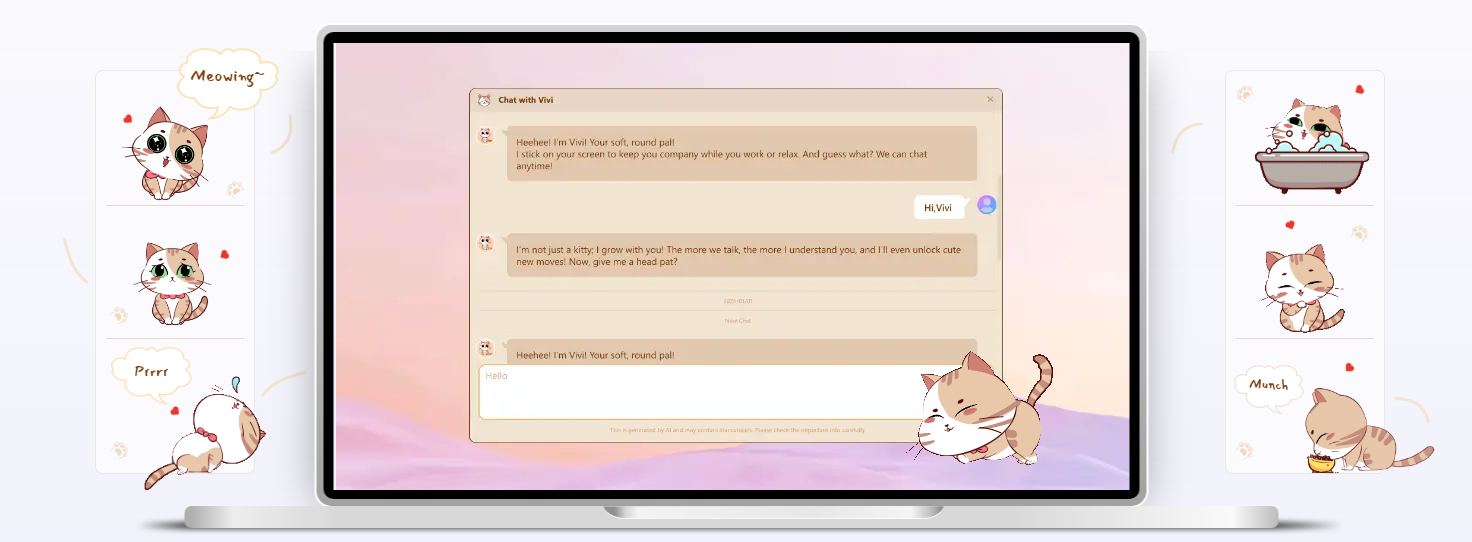
- They Actually Talk Back: You can chat with your pet. Whether you’re bored or just want to see what they’ll say, the response system makes the pet feel less like a GIF and more like a little digital friend. It’s a great way to break up the monotony of a long workday.
The “Command Center”: Useful Widgets
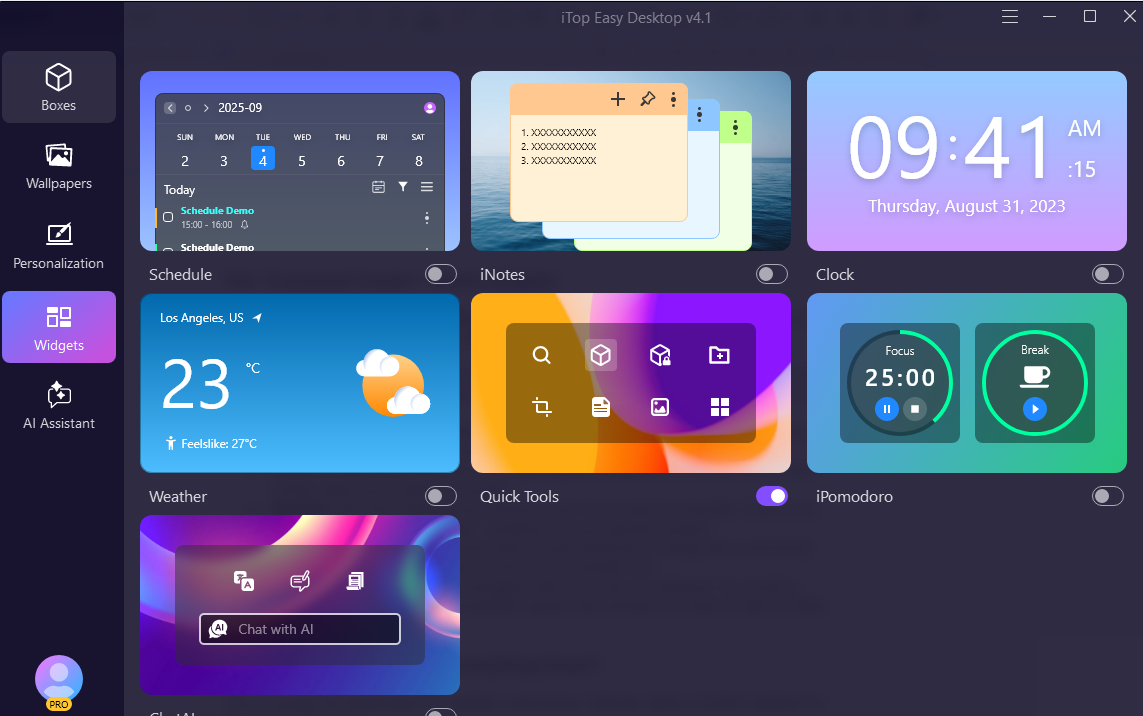
One of my favorite additions is the Widgets. Most Windows widgets feel like bloatware, but these are actually helpful for a daily workflow:
- Schedule: This is your life at a glance. It’s a clean calendar view where you can see upcoming appointments—and yes, it syncs up with Google Calendar and Outlook so you’re always in the loop.
- iNotes: These are digital sticky notes that stay organized. You can pin “to-do” lists or quick thoughts right to your screen so they’re impossible to forget.
- Clock: A stylish, oversized time and date display. It’s perfect if you tend to lose track of time when you’re deep in a project.
- Weather: No more checking your phone to see if you need an umbrella. It gives you the current temp and “feels like” conditions for your specific location.
- Quick Tools: This is a huge time-saver. It puts shortcuts for things like screenshots, file searches, and folder access in one tiny, accessible hub.
- iPomodoro: For anyone who struggles with focus, this is a lifesaver. It’s a built-in timer that helps you work in productive sprints and reminds you when to take a coffee break.
Performance: Does It Slow Everything Down?
This is usually the dealbreaker for desktop customizers. Nobody wants a “pretty” desktop if it makes their PC laggy.
Fortunately, iTop kept it light. It includes a built-in System Monitor so you can see your CPU and RAM usage in real-time. It’s pretty efficient; even with the pet running and the boxes organized, I didn’t notice any significant drag on my system performance.
How to Get Started
Ready to transform your PC? With iTop Easy Desktop, setting up your fresh, organized workspace only takes a few minutes—here’s how:
Download: Go to iTop official website and download the latest version of iTop Easy Desktop.
Install & Launch: Run the installer, then open the program to access the Personalization Center.
Customize: Choose your favorite wallpaper, adjust your taskbar and mouse settings, and organize icons using smart boxes—all with intuitive, guided controls.
Enjoy: Your refreshed, clutter-free desktop is ready. The built-in tips make it easy to update your setup anytime.
Conclusion: Is It Worth It?
If you’re a “folders inside folders” person, you might not need this. But if you’re someone who works on their PC for 8+ hours a day and wants a workspace that is organized, looks sharp, and has a bit of personality (literally, if you get the pet), then iTop Easy Desktop is a solid choice.
It turns your PC from a boring tool into a customized environment. Plus, having a little digital cat or dog walk across your spreadsheets makes the 3 PM slump much more bearable.
