


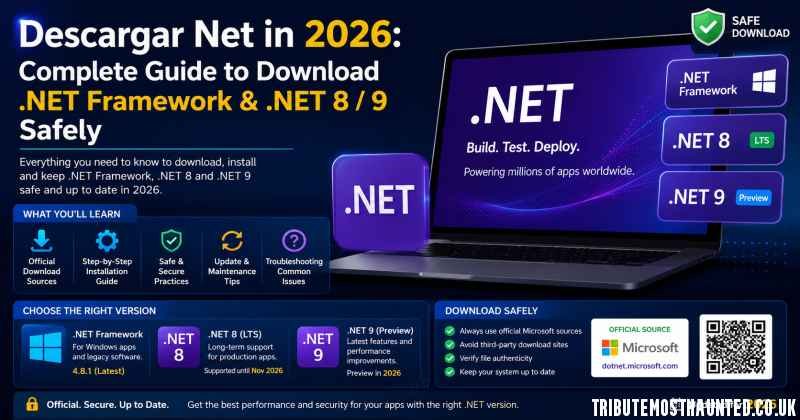
If you’re looking to download .NET in 2026, it’s important to install the correct version from Microsoft’s official website. .NET is Microsoft’s free, open-source, and cross-platform development framework used to build web applications, desktop software, mobile apps, games, cloud services, and AI solutions. Whether you’re a regular PC user or a software developer, this guide explains which version to download and how to install it safely.
What Is .NET and Which Version Do You Need?
.NET is a development ecosystem with two main branches. .NET Framework is the classic Windows-only version used by older desktop applications built with Windows Forms and WPF. If a program or game asks for .NET Framework 4.8.1, 4.8, 4.7, or 3.5, this is the version you need. .NET (formerly .NET Core) is the modern, cross-platform platform that runs on Windows, macOS, and Linux. In 2026, the recommended releases are .NET 9 and .NET 8 LTS (Long-Term Support). While .NET Framework is typically pre-installed on Windows 10 and Windows 11, .NET 8 and .NET 9 must be downloaded separately.
Which .NET Version Should You Download in 2026?
The right version depends on your needs. If you only want to run applications, install .NET Framework 4.8.1 along with the .NET Desktop Runtime 8.0, which supports most Windows software. If you’re a developer, download .NET SDK 9.0 or the more stable .NET SDK 8.0 LTS. The SDK includes the Runtime plus all the tools needed to develop applications using C#, F#, and Visual Basic. If you’re playing older games or using legacy software, you may also need .NET Framework 3.5, which includes versions 2.0 and 3.0.
How to Download .NET Framework and .NET 8/9 Safely
The safest way to download .NET is directly from Microsoft’s official website at dotnet.microsoft.com/download or through Microsoft Learn. Choose the version you need, then select Runtime if you only want to run applications or SDK (Developer Pack) if you plan to build software. Download the official installer, run it with administrator privileges, and restart your computer if prompted. Avoid third-party websites offering cracked .NET downloads or activators, as they often contain malware or unwanted software.
System Requirements and Common Installation Errors
Installing .NET requires Windows 10 or Windows 11, at least 1 GB of RAM, and around 2 GB of free storage. On macOS, macOS 12 or later is recommended, while Linux users can install the SDK using commands such as sudo apt-get install dotnet-sdk-9.0. Common issues include the message “.NET is already installed,” which usually means another supported version is already on your system. If installation fails, run the installer as an administrator and temporarily disable antivirus software. If .NET Framework 3.5 is missing, enable it through Control Panel > Programs > Turn Windows features on or off.
Is .NET Free and Safe to Download?
Yes. .NET is 100% free, open-source, and officially maintained by Microsoft, with its source code available on GitHub. There are no licensing fees, ads, or bundled software included with the official installer. Whether you’re creating ASP.NET web applications, developing Unity games, building .NET MAUI mobile apps, or simply running Windows software, .NET 8 LTS and .NET 9 provide the latest features, security updates, and performance improvements. For the safest experience, always download .NET from the official Microsoft website and avoid unofficial download sources.